Beijing Money & Internet
WeChat Pay for Visitors: How to Set It Up and When You Need It
Why Beijing's biggest sights are booked inside WeChat, how to add a foreign card to WeChat Pay, the vouching step and account freezes that trip up visitors, and the 3% fee over ¥200.

There is no ticket window at the Forbidden City. There is no desk at the National Museum where you can talk your way in, and there is no booth on Tiananmen Square selling entry to the square itself. What there is, for all three, is a booking page inside WeChat, the messaging app that runs most of daily life in China, and that is the real reason to care about WeChat Pay for tourists: even if another app does most of your paying, WeChat is where Beijing keeps its reservations, its restaurant menus and half of its customer service, and those bookings are paid for with WeChat Pay.
This guide covers setting WeChat up from abroad, including the account check that sometimes needs an existing user to vouch for you, adding a foreign card, the two ways of paying, booking the big sights through mini-programs, the fees and limits, and the account freezes that catch first-time visitors, with how to avoid them. Fees, limits and rules were checked in September 2026; treat them as the right order of magnitude, and check the app itself before anything expensive, because WeChat changes its terms for foreign users more often than most.
WeChat Pay at a glance
| Question | Short answer |
|---|---|
| Cost to set up | Nothing |
| Cards it takes | Visa, Mastercard, JCB, American Express, Discover and Diners Club, UnionPay |
| Chinese phone number needed? | No, if your home number can receive texts |
| Identity check | Your passport |
| Fee on payments of ¥200 or less | None |
| Fee on payments over ¥200 | 3% of the whole amount, unless a promotion waives it |
| What you cannot do | Send transfers or red packets, top up a balance |
| What it is essential for | Booking the Forbidden City, Tiananmen Square and the National Museum |
| The hurdle most people hit | New-account checks and anti-spam restrictions |
| When to set it up | A week or two before you fly, not at the airport |
Why you need WeChat even if Alipay does your paying
For paying in shops, Alipay is the smoother app for a visitor, with better English and easier card onboarding. So the obvious question is why bother with a second one. There are three reasons, and the first settles it.
The bookings live in WeChat. The Palace Museum’s ticketing, the compulsory free reservation for Tiananmen Square and the National Museum of China’s entry system all run as WeChat mini-programs, which are small apps that open inside WeChat without a separate download. Some also have websites, but the mini-program is where most people book, it is where the booking is easiest to find again on the day, and the payment inside it goes through WeChat Pay, not Alipay.
Restaurants increasingly have no paper menu. In a lot of Beijing restaurants, from hot-pot chains to neighbourhood noodle shops, there is a QR code stuck to the table. You scan it, a menu opens as a mini-program, you order and pay on your phone, and the food arrives. Some of these codes will open in Alipay, many are WeChat only. If a restaurant does have a paper menu, the phrase is zhǐzhì càidān (纸质菜单), and it is worth asking, because the phone menus are in Chinese and full of tiny photographs.
It is how people contact you. Guides, drivers, hotel concierges, tour operators and anyone you meet will ask for your WeChat rather than your email address or phone number. It also has a translate button built into every message, which makes it the easiest way to have a conversation in writing with someone who does not share a language with you.

Before you fly: setting up WeChat
Everything below can be done from home, and most of it should be. The account checks are fiddly, they sometimes involve another person, and WeChat is suspicious of accounts that are brand new and abroad, which is exactly what yours will be on arrival.
1. Register with your home number
Install WeChat, register with your own mobile number and the SMS code it sends, and choose a display name. There is no need for a Chinese number, but the number you use matters, because it is how you get back into the account if it is ever restricted. Do not register with a number you are about to cancel, and keep that SIM able to receive texts while you travel.
You may notice that WeChat’s own help pages call the payment function Weixin Pay. Weixin is the Chinese name of the app, and it is the version you get when you register with a Chinese number. An account registered with a foreign number is formally WeChat. For a visitor the distinction makes no practical difference; everything in this guide works on a WeChat account.
2. Be ready for the vouching step
Some new accounts, not all, are asked to have an existing WeChat user scan a QR code on your screen to confirm that you are a real person. It is not optional when it appears, and it is the step that stalls most visitors, because WeChat puts conditions on who is allowed to vouch. In practice the helper needs to be a long-standing user whose account is in good order and who has not vouched for anyone else recently.
So think about who you know. A colleague, a friend from a Chinese language class, a neighbour, anyone in the Chinese diaspora who uses WeChat daily to talk to family will almost certainly be able to help, and it takes them ten seconds. Doing it at home, with someone sitting next to you, is far easier than finding a willing stranger in a hotel lobby in Beijing.
3. Let the account settle
WeChat’s anti-spam systems watch new accounts closely. An account created yesterday that suddenly logs in from a different country, adds twenty contacts and joins three groups looks, to an algorithm, a lot like a spammer. Register a week or two before you fly, use it normally for a few days by messaging the people you know on it, and it will be a much less suspicious account by the time you land at Capital or Daxing.
4. Add your card
Go to Me → Services → Wallet → Cards → Add Card. The menu labels shift slightly between versions, but the wallet and the card list are always under the Me tab. Enter the card number, then complete the real-name step with your passport: choose passport as the document type, and enter your name exactly as it is printed, in the same order, because a mismatch between the card name and the passport name is a common reason for refusal. Your bank may ask you to approve the link through its own app or with a code by text.
WeChat takes international cards on Visa, Mastercard, JCB, American Express, Discover and Diners Club, and UnionPay. Prepaid and some virtual cards are often refused, so use an ordinary debit or credit card. Add a second card if you have one, from a different bank.
5. Set the payment password and turn on biometrics
WeChat Pay uses a six-digit payment password, separate from your phone’s unlock code. Set it, then switch on fingerprint or face approval in the Wallet settings so that you are not typing it in front of a queue. Finally, tell your bank you are travelling to China, and make sure its app will notify you of a blocked payment.
How to pay with WeChat
The mechanics are the same as Alipay’s, with WeChat’s own menu names. There are two directions, and the difference between them matters.
You scan their code
Tap the + at the top right of the Chats screen, choose Scan, and point it at the merchant’s printed code. Type the amount they tell you, check it, approve with your password or fingerprint, and show them the green success screen. At stalls, a small speaker often announces the payment aloud so the vendor knows it has arrived.
They scan yours
Tap + and choose Money, which opens your payment code, a barcode and QR code that the cashier reads with a scanner. The till sets the amount. The code refreshes itself constantly, so never screenshot it and never show it to anyone except the person you are paying.
If a scan in one direction fails, try the other. Small vendors, taxi drivers and guides sometimes display a personal collection code instead of a merchant one, and payments from foreign cards into personal codes often fail. Holding out your own payment code for them to scan usually solves it. If it does not, that is what the cash in your pocket is for.
The palm readers you can ignore
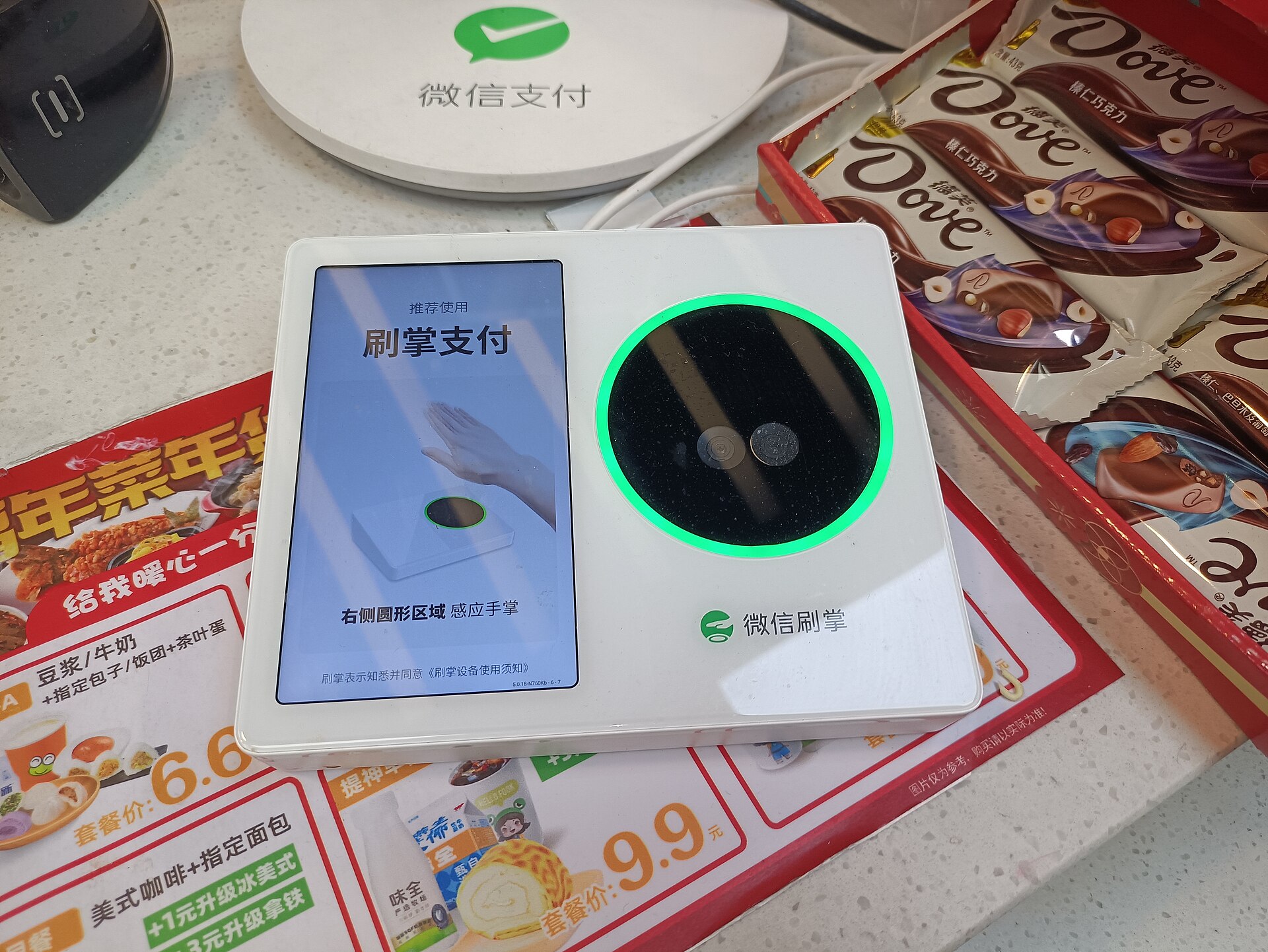
At some convenience stores and on some transport you will see a white box with a glowing green ring and the words 刷掌支付 (shuā zhǎng zhīfù, palm payment). Residents who have registered their palm prints in WeChat can pay by holding a hand over it. You would have to enrol first, and there is no reason to for a short trip. The QR code on the same counter works for everyone.
Booking the big sights through mini-programs
This is the part of WeChat that matters most to a visitor, and the part that most guides skip over. Mini-programs are found through the search bar at the top of the Chats screen, or by pulling down on the chat list. Searching in Chinese is by far the most reliable way to find the official one rather than a reseller, so copy and paste these names:
| Sight | Search for | What to know |
|---|---|---|
| Forbidden City (Palace Museum) | 故宫博物院 | ¥60 April–October, ¥40 November–March. Released 7 days ahead, one passport number per visitor, up to 5 per booking. No gate sales. Closed Mondays |
| Tiananmen Square | 天安门广场预约参观 | Free but compulsory. Book 1–9 days ahead, and pick the right time slot: dawn, morning, afternoon or evening |
| National Museum of China | 中国国家博物馆 | Free. Released 7 days ahead at 17:00 Beijing time. Bring the same physical passport you booked with |
The Forbidden City also books through its official website, bookingticket.dpm.org.cn, and anyone at the gate offering to sell you a ticket is selling you nothing. The Forbidden City guide covers routes, timing and what to see once you are inside, the Tiananmen Square page explains the security checks, and the National Museum page covers the galleries worth your time.
The Chinese you will meet on a booking form
Most of these mini-programs are only in Chinese. Take a screenshot and run it through a translation app if you get stuck, but in practice you only need to recognise a handful of words:
| Chinese | Pinyin | Meaning |
|---|---|---|
| 预约 | yùyuē | Reserve, book |
| 证件类型 | zhèngjiàn lèixíng | Document type (choose passport) |
| 护照 | hùzhào | Passport |
| 姓名 | xìngmíng | Full name |
| 证件号码 | zhèngjiàn hàomǎ | Document number |
| 手机号 | shǒujī hào | Mobile number |
| 提交 | tíjiāo | Submit |
| 支付 | zhīfù | Pay |
| 已约满 | yǐ yuēmǎn | Fully booked |
If the form insists on a Chinese mobile number, try your own with its country code first; if it refuses, a local SIM or a Chinese-speaking friend is the answer. And do your bookings on the day they are released, not the night before you want to go, because the popular dates at the Forbidden City disappear within minutes.
Fees, limits and promotions
WeChat Pay runs the same fee rule as Alipay. Payments of ¥200 or less made with a foreign card are free. Anything over ¥200 carries a 3% service fee on the whole amount, so a ¥300 dinner costs ¥309. Cards on the UnionPay network are exempt, and your own bank’s foreign-transaction fee is separate and on top.
Tencent, which owns WeChat, has run promotions that waive the 3% for people who link a foreign card for the first time, typically for a set number of days and up to a daily cap. The terms change, so look for the offer when you add your card rather than planning around it.
WeChat’s help centre has quoted limits for international cards of ¥6,500 per payment, ¥50,000 a month and ¥65,000 a year. Those ceilings have been rising, and the current figure shows in the app. For a holiday they seldom matter, because the only payments that come near them are hotel bills, and hotels take foreign cards at the desk without any 3% at all. Keep WeChat Pay for the ticket bookings, the table-order menus and the everyday small stuff. Our budget guide has a realistic picture of what the everyday small stuff adds up to.
What WeChat Pay will not do for a visitor
An international card gets you paying, and nothing beyond it. The features that Chinese users use constantly are closed to you:
- Transfers. You cannot reliably send money to another person, which means you cannot pay a friend back in the app.
- Red packets. The digital hóngbāo that fly around group chats at Chinese New Year are not available to international cards.
- Splitting the bill in the app. The group-payment tools rely on transfers, so they will not work for you either.
- A balance. You cannot top up a WeChat balance and spend from it; every payment goes straight to your card.
The practical upshot is social. If you are out with Chinese friends and someone pays, they will expect to be paid back through WeChat, and you will not be able to. Pay the next round, or carry enough cash to settle up.
Why accounts get frozen, and how not to be one of them
The most frustrating WeChat experience a visitor can have is an account that works perfectly for two days and then refuses to do anything. It happens because WeChat’s security systems look for patterns that match fraud and spam, and a new foreign account doing new things in a new country fits several of them at once.
The things that raise the risk:
- an account that is only a few days old;
- logging in from a new country, or on a second device;
- a VPN that keeps changing your apparent location;
- adding lots of contacts or joining lots of groups in a short time;
- sending the same message to many people;
- several failed payment attempts in a row.
The things that lower it are the reverse: register early, use the account normally before you go, keep it on one phone, add people as you meet them rather than in bulk, and stop after two failed payments instead of hammering the button. If your account is restricted anyway, WeChat offers an appeal inside the app. It will usually send a code to your registration number and may ask for the vouching step again. It can take hours or days, which is the real argument for having Alipay set up as well, so that one app’s bad afternoon does not become yours.
When a payment fails
| What you see | The likely reason | What to do |
|---|---|---|
| Card refused when adding it | Prepaid or virtual card, or your bank’s fraud system | Use an ordinary debit or credit card; approve the alert in your banking app |
| Asked for real-name verification | The passport step is incomplete | Finish it in Wallet, with the name exactly as on the passport |
| Fails at a small stall or with a driver | A personal collection code | Let them scan your code, or pay cash |
| Security warning, or the account is restricted | Risk control | Stop trying. Appeal in-app; pay with Alipay or a card meanwhile |
| Mini-program will not take your phone number | It wants a Chinese number | Try yours with the country code; otherwise a local SIM or help |
| Nothing loads at all | No data | WeChat needs a connection to pay; move to a window or use hotel WiFi |
That last line is worth dwelling on. Everything in this guide assumes your phone is online, and in China that means either a roaming eSIM or a local SIM, since public WiFi usually wants a Chinese number before it lets you on. The money and internet overview explains why a roaming eSIM is the simplest route for most short trips.
Messaging, translation and the social side
WeChat is a messaging app before it is anything else, and the messaging is genuinely useful on a trip:
- Translation. Long-press any message and choose Translate. It is not literary, but it is quick, and it lets you exchange messages with a driver, a guesthouse owner or a shopkeeper in your own language and theirs.
- Location sharing. Sending your live location to a driver who cannot find you is faster than any description. The same works for meeting friends at a crowded subway exit.
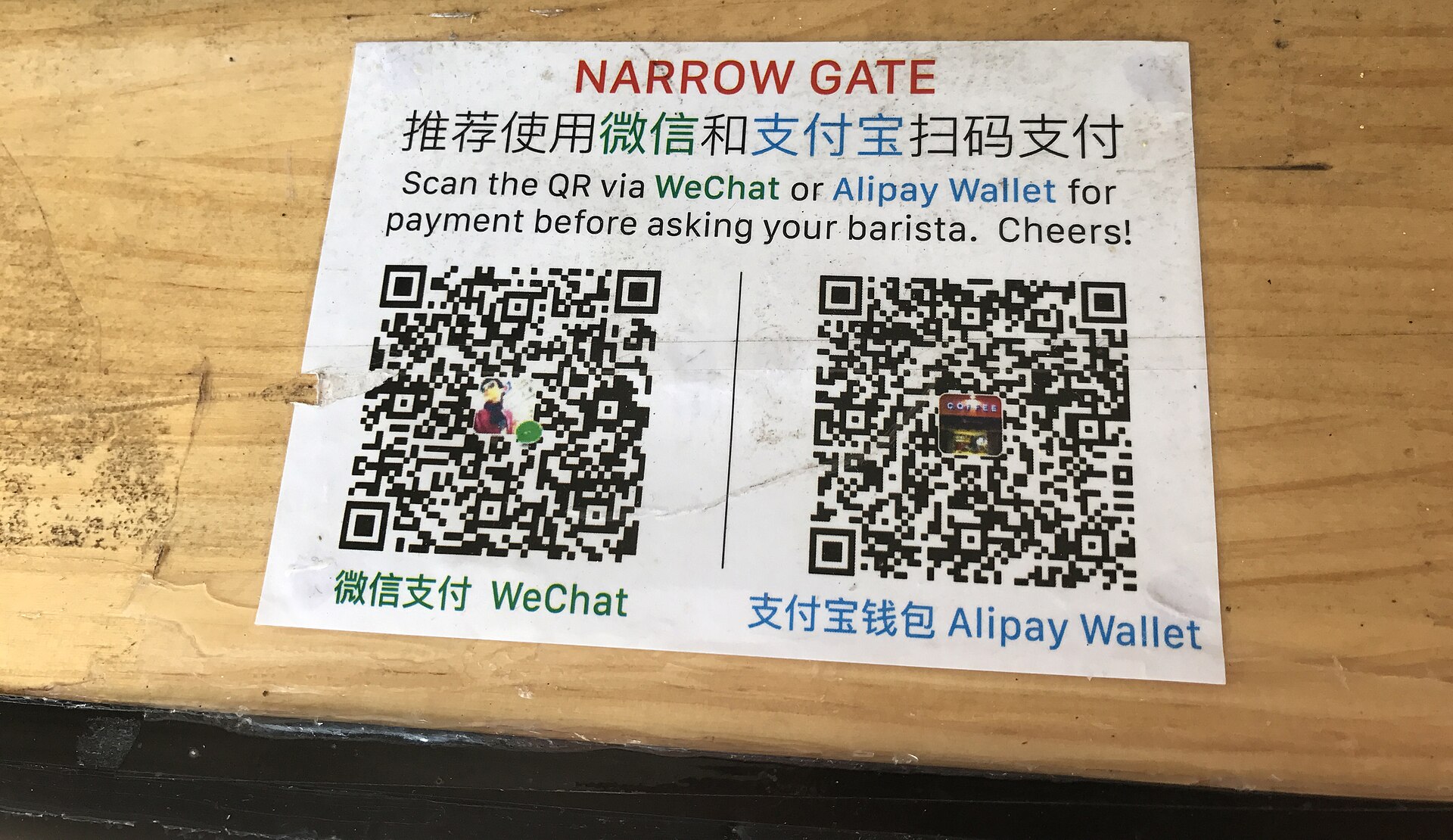
- Swapping contacts. In China, people exchange WeChat by scanning each other’s personal QR code, found under your profile. Showing yours is the normal response to “add me”.
- Official accounts. Hotels, museums and tour operators run official accounts that post opening hours, closures and announcements, often more promptly than their websites.
For the rest of the language problem, our guide to getting by without Chinese covers the phrases and apps that help most. And one plain note on privacy: WeChat conversations are subject to monitoring under Chinese law, and you should not treat them as private in the way you would an end-to-end encrypted app. Use it for logistics and friendly chat, and keep anything sensitive for somewhere else.
WeChat Pay or Alipay?
Both, with different jobs. Alipay is the better everyday wallet for a visitor. WeChat is the booking system, the menu, the message thread and the backup wallet. A traveller with both set up before departure, plus a contactless card and a few hundred yuan in cash, has four ways to pay for anything in Beijing, and it is rare for all four to fail at once.
For families and groups, one adult can book the Forbidden City for up to five people using each person’s passport number, so not everyone needs WeChat Pay working. Everyone old enough to wander off should still have WeChat on their phone for messaging, and the Beijing with kids guide has more on managing a family day around those bookings.
A VPN that keeps changing your apparent country is one of the quickest ways to make a new account look suspicious, so if you use one, switch it off before you pay or book, or exclude WeChat from it altogether. Our guide to VPNs for China travel explains split tunnelling, why a roaming eSIM usually makes a VPN unnecessary, and what the rules actually say.
WeChat is also how almost every museum in Beijing hands out its free tickets. How to book Beijing’s museums with a passport covers the mini-programs, the release times and the form fields, so a working account pays off well beyond the till.
Frequently asked questions
Can tourists use WeChat Pay with a foreign card?
Yes. WeChat Pay accepts international Visa, Mastercard, JCB, American Express, Discover and Diners Club, and UnionPay cards after you verify your identity with your passport. You do not need a Chinese bank account, and you can register with your home phone number.
Does WeChat Pay charge a fee for foreign cards?
Payments of ¥200 or less are free. Anything over ¥200 carries a 3% fee on the whole amount, although Tencent has run promotions that waive it for new users for a limited period. Your own bank may add a foreign-transaction fee.
Do I need someone to verify my WeChat account?
Sometimes. Some new accounts are asked to have an existing, established WeChat user scan a QR code to vouch for them. Set WeChat up at home, where a friend or colleague who uses it can do this in seconds.
Why was my WeChat account restricted?
Usually because a new account did several things at once that look like spam or fraud: logging in from a new country, changing location through a VPN, adding many contacts, or failing several payments in a row. Appeal inside the app using your registration phone number, and use another payment method in the meantime.
Do I need WeChat if I already have Alipay?
Yes. The Forbidden City, Tiananmen Square and the National Museum of China all take reservations through WeChat mini-programs, many restaurants use WeChat table-ordering codes, and guides and hotels will message you on it.
Can I book Forbidden City tickets on WeChat?
Yes, through the Palace Museum’s official mini-program (search 故宫博物院) or the official website. Tickets are released seven days ahead, need a passport number for each visitor, and sell out quickly for popular dates. There are no ticket sales at the gate.
Can I send red packets or transfer money on WeChat as a tourist?
No. International cards support payments to merchants, not transfers between people or red packets. Settle shared bills in cash or take turns paying.
Is Weixin the same as WeChat?
Effectively, yes. Weixin is the Chinese name and the version you get with a Chinese phone number; WeChat is the account type you get with a foreign number. Payments, mini-programs and messaging work on both.
Does WeChat work without a Chinese phone number?
Yes, for registration and payment. A few mini-programs ask for a Chinese mobile number on their booking forms, in which case try yours with its country code first. A local SIM solves it if they refuse.