Beijing Money & Internet
Maps and Navigation in Beijing Without Google
Why Google Maps puts you in the lake at Houhai, which map apps to use instead, how to read a Beijing address, pick the right subway exit, direct a taxi, and find your way when the phone gives up.
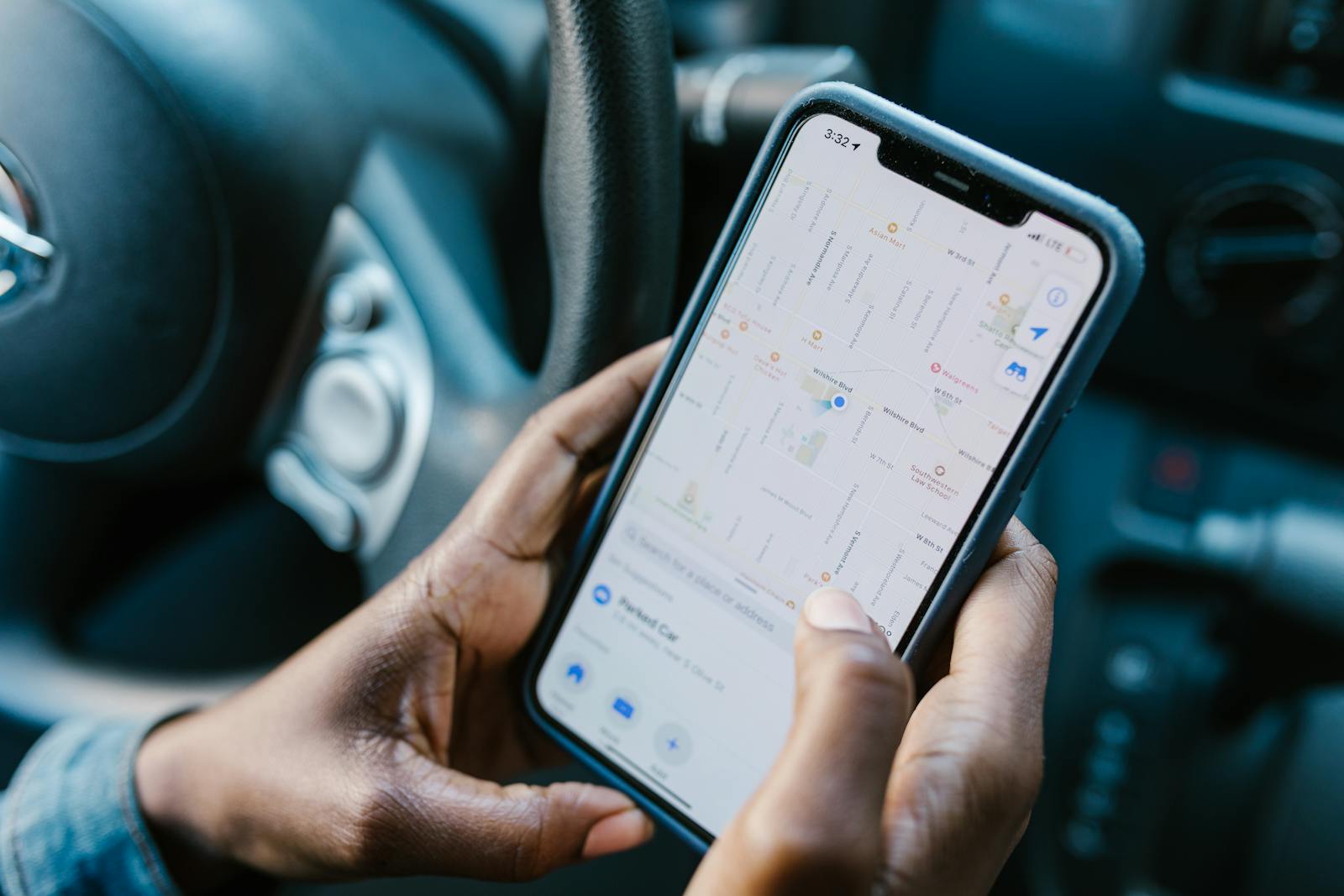
The blue dot says you are standing in the middle of the lake at Houhai. You are not; you are on the pavement beside it, next to a man selling candied hawthorns, holding a phone that is running Google Maps in China, where Google’s map has been drifting away from the real streets for years. On a hotel’s WiFi the app will not load at all. On a roaming eSIM it loads, and then puts you in the water.
This guide is about finding your way around Beijing without it: why Google’s map fails, which apps to use instead and how to get the best out of them, how to read a Beijing address and give it to a taxi driver, how locals give directions, how to pick the right subway exit, and what to do when your phone gives up altogether. App details were checked in September 2026; map apps update often, so make sure yours is current before you fly.
The short version
| Question | Answer |
|---|---|
| Does Google Maps work? | Blocked on Chinese connections. Through a roaming eSIM it loads, but its map is offset and out of date |
| What should I use? | Amap Global, which has had a full English interface since January 2025 |
| Backup on an iPhone? | Apple Maps, which uses the same Chinese map data as Amap |
| Baidu Maps? | Excellent, but still without a full English interface |
| Offline backup? | An OpenStreetMap-based app, plus screenshots |
| Addresses for taxis | Always in Chinese characters |
| Subway | Choose your exit letter before you arrive |
| How locals give directions | North, south, east and west, not left and right |
Why Google Maps fails in China
There are three separate problems, and fixing the first one does nothing about the other two.
It is blocked
Google’s services are blocked on Chinese internet connections, which include hotel WiFi, café WiFi and local Chinese SIM cards. A roaming eSIM or your home network’s roaming gets round this, because the data leaves China before it reaches the internet, and our eSIM guide explains how. But getting the app to load is only the start.
It is offset
By law, every digital map published in mainland China must use a coordinate system called GCJ-02, sometimes nicknamed “Mars coordinates”, which shifts positions away from the standard GPS system used everywhere else by an irregular, deliberately obscured amount. Chinese map apps draw their streets in GCJ-02 and correct your phone’s GPS position to match. Google’s Chinese street layer, its satellite imagery and your GPS dot do not agree with each other, so the blue dot typically lands somewhere between 50 and 500 metres from where you are actually standing. In a city of long blocks and similar-looking streets, that is enough to send you the wrong way.
It is out of date
Google has not maintained its China map with anything like the care it gives other countries. Beijing’s subway now runs to 30 lines and more than 500 stations, restaurants open and close by the month, and whole districts have been rebuilt. A map that does not know about last year’s new subway line, or still shows a restaurant that closed in 2023, is a liability rather than a tool.
The honest verdict: even on an eSIM where it loads perfectly, do not use Google Maps for anything that matters in Beijing. Use it, if at all, for a rough sense of where things are relative to each other, and navigate with something else.
Amap Global: the one to use
Amap, called Gaode in Chinese, is the map most people in China use, and its international version, Amap Global, is the best navigation tool a visitor can have. It has had a full English interface since January 2025, works in around fifteen languages, and lets you sign in with a mobile number from about sixty-five countries. It uses the same Chinese map data as residents, so the dot is where you are, the subway exits are real, and the restaurants are current. Since August 2026 it can also book a ride, so directions and a taxi sit in one app. It is not on the mainland China App Store, so install it before you leave. Our round-up of apps for a Beijing trip covers the rest of the setup.
Searching well
- Landmarks usually come up in English: the Forbidden City, the Temple of Heaven, the Summer Palace.
- Restaurants, shops and hutong addresses are far more reliable in Chinese. Copy the Chinese name from a booking, a website or this site and paste it in.
- Check the district in the result. Chain restaurants and common names have branches all over the city, and the top result is not always the one you want.
- Save places as you find them, so that your hotel, tonight’s restaurant and tomorrow’s first sight are one tap away.
Reading a public-transport route
A transit route in Amap shows the line number and colour, the direction of travel, given as the name of the terminus at the end of the line, the number of stops, any transfers, and the exit to use at the end. It also shows the walking parts, which in Beijing are often longer than you expect: transfers between lines at big interchange stations can mean five to ten minutes on foot underground. Trust the total journey time rather than the number of stops.
The backups: Apple Maps, Baidu Maps and offline maps
Apple Maps
Inside mainland China, Apple Maps runs on licensed Amap data with Apple’s own English interface. The dot is in the right place, the streets are current, and the transit directions are usable. On an iPhone it is the natural backup, and some visitors simply use it as their main map.
Baidu Maps
Baidu Maps is Amap’s big domestic rival and is excellent, with street-level imagery and detailed business listings, but as of 2026 it still has no full English interface and uses its own additional offset on top of GCJ-02. If you read Chinese, it is a fine choice. If you do not, Amap Global does the same job in English.
Offline maps
Apps built on OpenStreetMap, such as Organic Maps and OsmAnd, work entirely offline once you have downloaded the Beijing area, and because both their data and your GPS use the standard coordinate system, the dot lines up with their streets. Their coverage of shops, restaurants and hutong addresses is much thinner than Amap’s, so treat them as a walking backup for the moments when you have no signal, not as your main map.
Reading a Beijing address
Chinese addresses run from large to small, the opposite of the Western order: city, then district, then street, then number. A typical one reads 北京市东城区东四北大街…号, which is Beijing, Dongcheng District, Dongsi North Street, number such-and-such. Once you know the pattern, even an address you cannot read tells you roughly where to look.
| Character | Pinyin | Meaning |
|---|---|---|
| 区 | qū | District, such as Dongcheng or Chaoyang |
| 大街 | dàjiē | Avenue, a main street |
| 街 | jiē | Street |
| 路 | lù | Road |
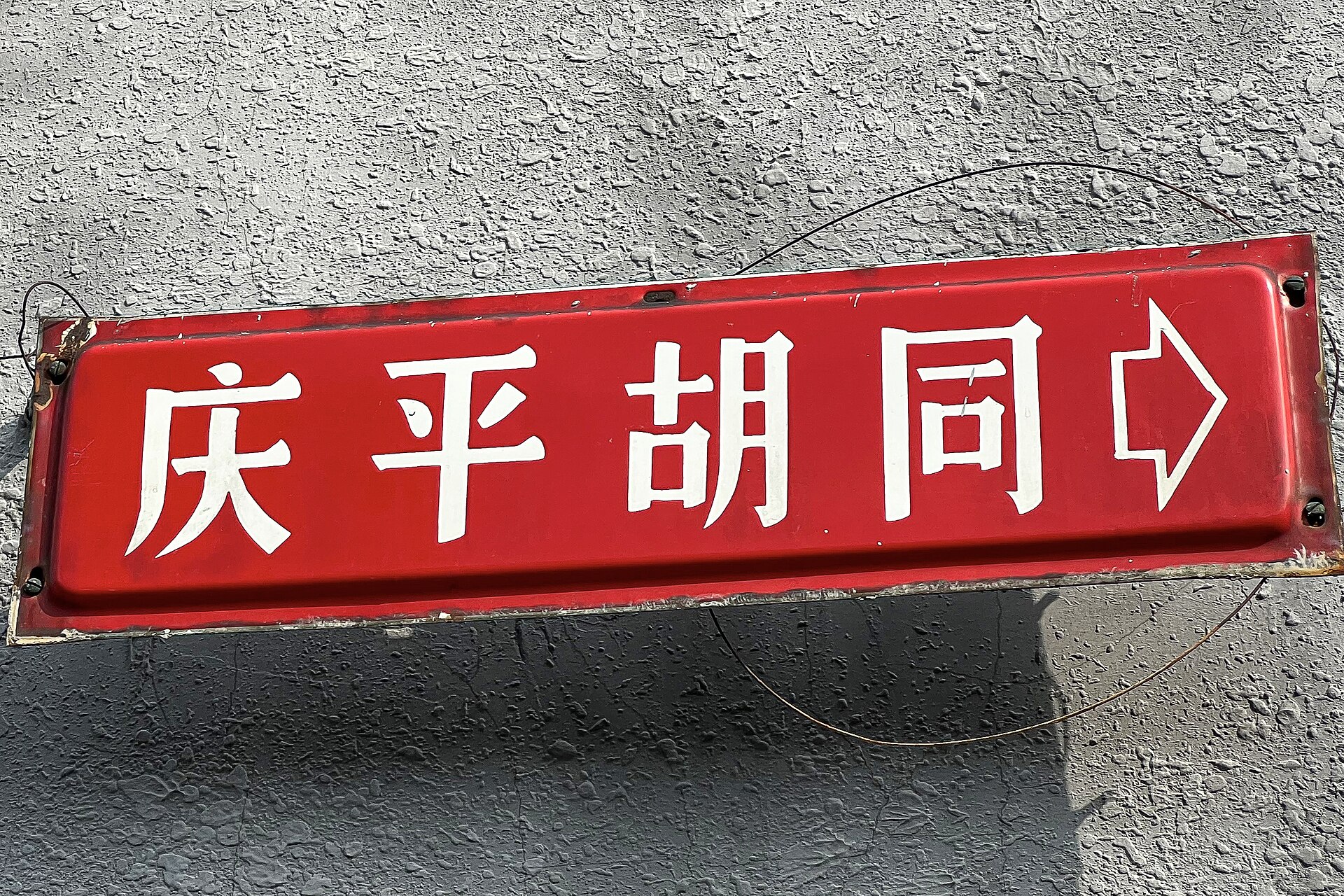
| 胡同 | hútòng | Lane, the old alleys of central Beijing |
| 号 | hào | Number |
| 门 | mén | Gate, as in Qianmen or Dongzhimen |
| 桥 | qiáo | Bridge, and the name of most ring-road interchanges |
| 环 | huán | Ring, as in 二环, the 2nd Ring Road |
| 东 · 西 · 南 · 北 | dōng · xī · nán · běi | East, west, south, north |
The ring roads are the city’s rough coordinates. The 2nd Ring Road follows the line of the old Ming city walls, so “inside the 2nd Ring” means the old city, with the Forbidden City at its centre and the hutongs around it. The 3rd, 4th, 5th and 6th Rings spread outwards from there. If an address says it is by a ring-road qiáo, it is at one of the big interchanges, which are landmarks in their own right.
Directions the Beijing way
Old Beijing was laid out on a grid aligned to the compass, with the palace facing south, and the city still thinks in compass points. Ask a local for directions and you are more likely to be told to walk north for two hundred metres and then turn east than to go straight and turn left. It feels odd for about a day, and then it becomes the most useful habit you can pick up.
The directions are built into the place names too. Dongdan and Xidan are the east and west halves of a pair; Dongsi and Xisi likewise. Andingmen, Dongzhimen, Xizhimen, Fuchengmen, Chongwenmen and Qianmen were gates in the old city wall, and many of them are now stations on subway Line 2, which runs around the line of that wall. Learn the four characters for the directions, glance at your phone’s compass when you come up from the subway, and you will rarely go far wrong.
The subway: choosing the right exit
Beijing’s subway stations are big, and their exits can be several hundred metres apart, on opposite sides of a road that takes ten minutes to cross. Exits are lettered, A, B, C, D and onwards, with numbers added at larger stations, such as A1 and A2. The right exit is the single most useful piece of navigation you can do in advance.
- Amap tells you the exit to use at the end of a transit route. Note it before you arrive.
- Inside every station, a map near the exits shows the streets and landmarks around each one.
- If you come up the wrong exit, go back down rather than trying to cross a major road at street level.

Getting on the subway needs no app: every gate takes a foreign contactless card. The subway guide covers the lines that matter for visitors and how transfers work.
Walking: Beijing is bigger than it looks
Distances on a Beijing map are deceptive. Blocks are enormous, main roads are six or eight lanes wide, and you often cannot cross them at street level, only by an underpass or a footbridge that may be a few hundred metres away. Around Tiananmen Square, crossing Chang’an Avenue means going underground, and security checkpoints add more time. A good rule is to take the walking time your map suggests and add half again.
The hutongs are the exception, and the pleasure. Here the scale shrinks to lanes a car can barely enter, and the map apps cope well enough, but lanes can end without warning, and many are simply people’s homes. Keep your voice down, do not photograph through open doorways, and be ready to retrace your steps. The hutongs guide covers the best areas, and the Shichahai and Houhai guide the lakeside lanes where most visitors begin.

Landmarks to steer by
Beijing is flat, and a handful of tall or distinctive buildings are visible from a long way off. Knowing a few of them gives you a sense of direction that no phone can take away:
- Jingshan’s hilltop pavilion, directly north of the Forbidden City, marks the centre of the old city. The Jingshan Park guide covers the climb and the view.
- The White Dagoba on its island in Beihai Park stands just north-west of the palace. The Beihai guide has more.
- The Drum and Bell Towers anchor the north end of the old city’s central axis, beside the Shichahai lakes.
- China Zun and the CCTV Headquarters, the tallest tower in the city and its looping neighbour, mark the Central Business District in the east.
- The Olympic Tower, with its cluster of disc-shaped platforms, marks the Olympic Park to the north.
If you can see the CBD towers, you know which way is east. If you can see the Drum Tower, you are near Houhai. It is a small thing, and it is surprisingly calming when the phone is flat.
Getting a taxi to the right place
Beijing taxi drivers navigate by Chinese names and landmarks. Very few read English, and pinyin written in the Latin alphabet is not much better, since the same spelling can match several different places.
- Ride-hailing solves most of this. In DiDi or Amap Global, you set the destination on the map, and the driver’s app shows it to them. Search for the destination in Chinese if the English name does not find it. The DiDi guide covers the details.
- For a street taxi, show the driver the address in Chinese characters, on screen or on paper, and ideally a well-known landmark nearby as well.
- Carry your hotel’s card, or a screenshot of its name and address in Chinese, for the ride home.
The taxi guide explains fares, meters and how to hail a cab.
A worked example: dinner in a hutong
Here is how the pieces fit together on an ordinary evening, going from a hotel near Wangfujing to a restaurant in the lanes near the Drum Tower.
- Find the restaurant’s Chinese name on its listing or booking page, and paste it into Amap Global. Check that the result is in the right district, not a branch across town.
- Choose public transport and read the route: the line, the direction given as the terminus, the number of stops, any transfer, and the exit letter at the end. Screenshot it.
- Tap in with your card at the gate, follow the line colours and the direction signs, and come up at the exit the app named.
- Walk the last stretch with the map open. Look for the lane’s name on the red hutong signs, and remember that the restaurant may be through a courtyard doorway with only a small sign outside.
- If you lose the thread, show the Chinese name to a shopkeeper and ask Zěnme zǒu?, how do I get there.
- Going home, open DiDi or Amap, choose your saved hotel as the destination, and wait at the pickup point the app suggests, usually on the nearest road wide enough for a car.
The first time takes some concentration. By the third evening it is routine, and you will find yourself reading the exit letters before the app tells you.
The mistakes everyone makes once
- Trusting the blue dot in Google Maps. It is often hundreds of metres out.
- Searching a restaurant in English and walking to the wrong branch of the same chain.
- Coming up the wrong subway exit and trying to cross an eight-lane road at street level.
- Underestimating distances between places that look close on the map.
- Showing a taxi driver an address in English or pinyin instead of Chinese characters.
- Relying on the phone alone, with no screenshot, no paper address and no power bank.
When your phone gives up
Batteries die, signal drops in basements, and payment and map apps both need data. A little preparation turns that from a crisis into an inconvenience:
- Screenshot the day’s key routes, addresses and subway exits in the morning.
- Download an offline map of central Beijing in an OpenStreetMap-based app.
- Keep your hotel’s name and address in Chinese on paper, not just on the phone.
- Carry a power bank, and some cash for a taxi.
And ask. Beijing people are generally happy to help, younger people in particular will often pull out a translation app, and shop staff and hotel doormen are good bets. The phrases below cover most of it; our guide to getting by without Chinese has more.
| You want to say | Chinese | Pinyin |
|---|---|---|
| Excuse me, where is…? | 请问,…在哪儿? | Qǐngwèn, … zài nǎr? |
| How do I get there? | 怎么走? | Zěnme zǒu? |
| Subway station | 地铁站 | Dìtiě zhàn |
| Go straight on | 直走 | Zhí zǒu |
| Left / right | 左 / 右 | Zuǒ / yòu |
| Head north | 往北走 | Wǎng běi zǒu |
Beyond the city
Out at the Great Wall, in the mountains or in the villages below the wilder sections, navigation gets more basic. Signal can disappear in the valleys, trail markings are sparse, and a map app’s footpaths are not always the footpaths on the ground. Download offline maps before you leave the city, screenshot your route and your transport back, and on the unrestored sections go with someone who knows the way. The Great Wall hiking guide covers the sections and how to reach them.
For how maps fit alongside payments, data and the rest of the phone setup, the money and internet overview brings it all together.
Frequently asked questions
Does Google Maps work in China?
Not on Chinese connections, including hotel WiFi and local SIM cards, where it is blocked. Through a roaming eSIM it loads, but its China map is offset from the real streets and often out of date, so it is not reliable for navigating Beijing.
Why is Google Maps wrong in China?
Chinese law requires maps to use a coordinate system called GCJ-02, which is deliberately offset from standard GPS. Google’s street layer, satellite imagery and your GPS position do not line up, so the blue dot often lands 50 to 500 metres from where you are.
What is the best map app for Beijing?
Amap Global, the international version of the map most people in China use. It has a full English interface, current subway exits and businesses, and ride-hailing built in. Install it before you travel, as it is not on the mainland China App Store.
Does Apple Maps work in China?
Yes. In mainland China, Apple Maps uses licensed Amap data with Apple’s English interface, so the position and streets are accurate. It is a good backup, or even a main map, on an iPhone.
Can I use Baidu Maps in English?
Not fully. As of 2026, Baidu Maps still has no complete English interface. It is excellent if you read Chinese; otherwise, Amap Global does the same job in English.
How do I show a taxi driver where I’m going?
Show the address in Chinese characters, along with a nearby landmark if you can. Better still, book through DiDi or Amap Global, where the destination goes to the driver’s app. Keep your hotel’s name and address in Chinese for the ride back.
How do I find the right subway exit in Beijing?
Check the exit letter in your map app’s transit directions before you arrive, and use the station map near the exits to confirm. Exits can be hundreds of metres apart, so the right one saves a long walk and a difficult road crossing.
Can I use offline maps in China?
Yes. OpenStreetMap-based apps such as Organic Maps and OsmAnd work offline once you download the area, and the GPS dot lines up with their streets. Their listings are thinner than Amap’s, so use them as a backup.