Beijing Money & Internet
China eSIM Guide: Data That Works From the Moment You Land
How a roaming eSIM gets round China's firewall, what one costs in 2026, how much data a Beijing trip uses, which phones work, and the install-before-you-fly routine that avoids a dead phone on arrival.
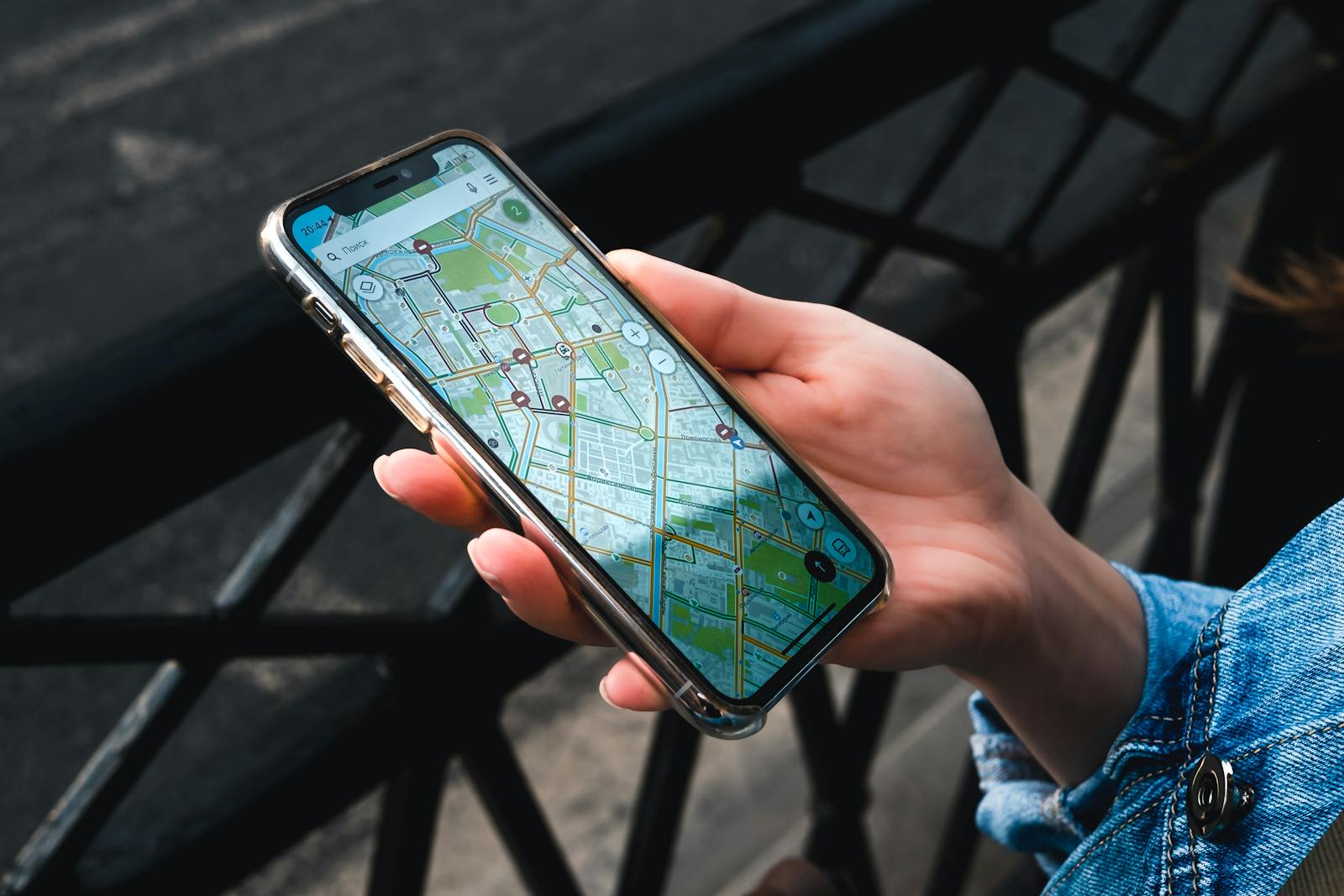
The first test of a China trip comes before you have seen anything at all. The plane taxis to the stand at Capital or Daxing, you switch off flight mode, and one of two things happens: your phone fills up with messages, maps and boarding-pass reminders, or nothing loads, and you realise that everything you planned to rely on sits behind a wall. A China eSIM, bought online and installed at home before you leave, is what makes it the first outcome. It gives you mobile data from the moment you land, and because of the way roaming data is routed, it generally reaches Google, WhatsApp and the rest without a VPN.
This guide explains how that works, what an eSIM for China costs, how much data a Beijing trip actually uses, what separates one provider from another, whether your phone is compatible, how to install it properly, and what to do when it does not connect. It also covers the things an eSIM cannot do, because there are a couple, and they decide whether you need a local SIM as well. Prices were checked in September 2026 and move constantly; treat them as the right order of magnitude and compare current offers before you buy.
The short version
| Question | Answer |
|---|---|
| What is it? | A digital SIM you download to your phone, giving you roaming mobile data in China |
| Does it get round the firewall? | Generally yes, because the data exits through Hong Kong or Singapore |
| What does it cost? | From about US$4 for 1GB; roughly US$12–18 for 10GB over 30 days at the cheaper brands |
| Does it include a phone number? | No. Data only |
| When do I install it? | At home, before you fly |
| Which phones? | Unlocked, eSIM-capable phones. Most bought in mainland China are not |
| Can I keep my own number? | Yes, on the other SIM line, for texts and calls |
| The one catch | Connect to WiFi and you are back behind the firewall |
How a roaming eSIM gets you round the firewall
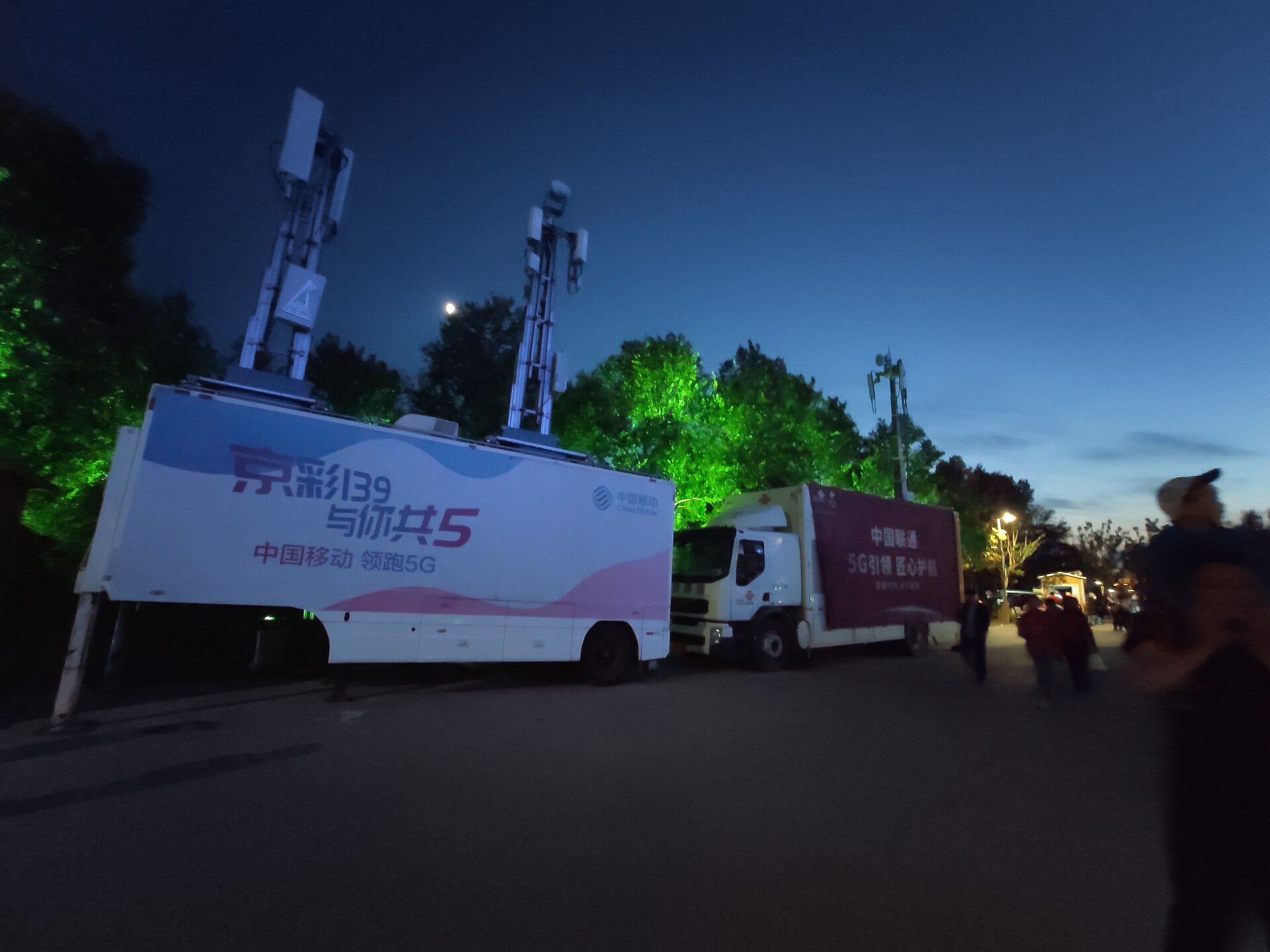
When you use a travel eSIM in Beijing, your phone connects to the towers of one of China’s big three networks, China Mobile, China Unicom or China Telecom, exactly as a local phone would. The difference is what happens to your data next. Instead of passing into the domestic Chinese internet, it is carried as roaming traffic to a gateway outside the mainland, usually in Hong Kong or Singapore, and joins the internet there.
From the internet’s point of view you are in Hong Kong. Google, Gmail, WhatsApp, Instagram and the rest load normally, because the filtering that applies inside the domestic network never sees your traffic. This is the same arrangement that has always let international roaming customers use their usual services in China, and it is why a roaming eSIM does the job that most visitors want a VPN for, with far fewer moving parts.
There is one important catch, and it trips up almost everyone once. The bypass only applies to data travelling over the eSIM. The moment your phone joins hotel, café or airport WiFi, it is using a Chinese internet connection, and Google and WhatsApp stop loading. If a blocked app suddenly stops working, look at the WiFi symbol before you blame the eSIM.
Is it allowed?
Yes. International roaming is an ordinary, licensed service that Chinese carriers provide under agreements with foreign networks, and it is how every business traveller’s home SIM has always worked in China. A travel eSIM is simply a cheaper way of buying roaming data. It is a different thing from a VPN, which is software that disguises traffic on a Chinese connection and sits in a much greyer area. If you want your usual apps with the fewest complications, the eSIM is the straightforward route.
What it costs
Prices vary by brand, by data allowance and by the week you look, with frequent promotions. As a guide to the market in September 2026:
| Plan | Typical price | Good for |
|---|---|---|
| 1GB, 7 days or less | About US$4–4.50 | A layover or a very light user |
| 5GB | About US$13.50–16 | A long weekend |
| 10GB, 30 days | About US$12–18 at the cheaper brands | A one- or two-week trip for most people |
| 50GB, 30 days | About US$35–49 | Heavy users, hotspotting a laptop |
| Unlimited | From about US$11.50 for 3 days to US$33 for 10 days | Streaming, video calls, working remotely |
Compare that with your home network’s roaming pass for China, if it has one. Some mobile networks include China in a daily roaming bundle; many charge considerably more per day than a whole week of eSIM data costs. Check before you assume either way, and if you keep your home line switched on for texts, turn off data roaming on it so that it does not quietly run up a bill alongside the eSIM.
How much data you actually need
A Beijing trip is heavier on data than a lot of city breaks, because your phone does more jobs. Maps run all day, Alipay and WeChat need a connection for every payment, DiDi needs one to book a car, and you will translate menus and signs with the camera. A rough guide:
| Trip | Moderate use | Heavy use |
|---|---|---|
| Layover or 1–2 days | 1–2GB | 3GB |
| 3–4 days | 3–5GB | 8GB |
| A week | 5–10GB | 15GB+ |
| Two weeks | 10–15GB | 25GB+ |
Heavy use means posting video, video calls home, streaming or sharing the connection with a laptop. Hotel WiFi takes some of the load off in the evenings, for everything that does not need the open internet, such as Chinese apps, app updates from the App Store and downloading offline maps.
Choosing a provider: what actually differs
The providers selling China eSIMs are largely reselling the same underlying networks, so the differences are in the details. The ones that matter:
- Price per gigabyte on the size you actually need. The cheapest brand for 1GB is not always the cheapest for 10GB.
- Validity. A 30-day plan gives slack if your trip changes.
- Hotspot policy. Metered plans usually let you share the connection. Unlimited plans often restrict tethering.
- Fair use on unlimited plans. “Unlimited” normally means full speed up to a threshold, then heavily throttled.
- Top-ups. Being able to add data in the provider’s app is useful, and since the app reaches the internet through the eSIM itself, it works from inside China.
- Which Chinese network it rides on. In central Beijing all three are strong; out at the wilder sections of the Great Wall, coverage varies by network and by valley.
A snapshot of the best-known brands as of September 2026, from published plans and comparisons:
| Provider | What stands out |
|---|---|
| Nomad | Among the lowest prices per gigabyte on larger plans; runs on China Unicom |
| Airalo | The widest range of plan sizes and an easy entry point at 1GB |
| Saily | From the Nord Security team, with an optional virtual-location feature at a premium |
| Holafly | Unlimited plans on China Mobile; hotspot restricted and fair-use throttling applies |
| Ubigi and others | Worth comparing on price for your exact dates |
The honest verdict: for most visitors, a metered plan of around 10GB for 30 days from one of the cheaper brands is the sweet spot. Unlimited plans only make sense if you stream, work on a laptop or make a lot of video calls, and paying for unlimited data you do not use is the most common way people overspend on this. Nobody needs to buy the most expensive option to get a connection that works.
Will your phone work?
Three conditions. The phone must support eSIM, it must be unlocked, and it must not have been bought for the mainland Chinese market.
- eSIM support. iPhones from the XS onwards and most recent Android flagships, including Samsung’s Galaxy S20 and later, support eSIM. The quickest check is to dial
*#06#: if the screen shows an EID number, the hardware is there. - Unlocked. A phone locked to your home network cannot take another carrier’s eSIM. If you are on a contract, ask your network before you travel, not from the arrivals hall.
- Not a mainland China model. iPhones sold in mainland China have two physical SIM slots instead of eSIM, with the single exception of the China-version iPhone Air, which is eSIM-only. Many Chinese-market Android phones also lack eSIM. If that is your phone, a physical travel SIM or a local SIM is the answer.
Installing it, step by step
The single most important instruction on this page: install the eSIM at home, before you fly. Downloading an eSIM profile from inside mainland China is unreliable, because the download has to reach the provider’s servers over whatever connection you have, and that connection is exactly what you do not yet have.
- Buy the plan a few days before departure. Most plans do not start their validity until the eSIM first connects to a network in China, but check the terms of yours.
- Install it at home over WiFi, by scanning the QR code or tapping the install link, in your phone’s mobile or cellular settings. Label the new line something obvious, such as “China data”.
- Leave it switched off or set to inactive until you land, so that it does not try to connect somewhere else on the way.
- On arrival, turn the eSIM line on, set it as the line for mobile data, and switch on data roaming for that line. Travel eSIMs are roaming services, and most will not connect with data roaming off.
- Keep your home line on for calls and texts, so that your bank’s security codes still reach you, and turn data roaming off on the home line.
- Test it. Open a map, send a WhatsApp message, load a Google search. If all three work, you are done.
Do not delete the eSIM from your phone until you are home. Many profiles cannot be reinstalled once removed, and a spare day of data is useful if your flight home is delayed.
Living with it in Beijing
WiFi on or off?
Decide per task. Chinese apps, including Alipay, WeChat, DiDi and the Chinese map apps, work on any connection, so hotel WiFi is fine for them and saves your data. Anything blocked in China, including Google services, WhatsApp and Instagram, needs the eSIM, so switch WiFi off when you want them. Many visitors simply leave WiFi off for the whole trip and buy a slightly larger plan, which removes the confusion entirely.
Chinese apps on a foreign connection
Alipay, WeChat, DiDi and the rest are used by millions of international roamers and work normally over a travel eSIM, including for payments. A small number of Chinese websites and video services behave as though you are abroad, since as far as they can tell you are in Hong Kong. For a visitor this is rarely more than a curiosity. If a Chinese site misbehaves, try it once on hotel WiFi.
Maps
With an eSIM, Google Maps loads, but in China it is often out of date and its street data can be offset from the satellite image. A Chinese map app gives far better results in Beijing, with current subway exits and businesses; our guide to getting around without Chinese covers the apps that help. Download an offline map of central Beijing as a fallback, for the moment your data stops.
Signal, speed and battery

Coverage in central Beijing is excellent, underground included: the subway has signal in stations and tunnels. Out of town it is more variable, and the steep, remote Wall sections can have patchy reception, so download what you need before a hike. Roaming data uses a little more battery than a local connection, and your phone is also your wallet, your map and your ticket, so carry a power bank. The packing list has the airline rules on power banks, which Chinese carriers enforce strictly.
Day trips and trains
On a Great Wall day, treat your connection as something that may come and go. The restored sections near the car parks and cable cars are usually fine, but the ridge lines further out, and the valleys you drive through to reach them, can drop to one bar or nothing. Before you set off, download an offline map of the area, screenshot your return bus times and your hotel address in Chinese, and make sure DiDi is not your only plan for getting back. The Great Wall hiking guide covers the sections and the logistics.
High-speed trains out of Beijing generally keep a usable signal at speed, with short gaps in tunnels and cuttings. Download anything you want to watch before you board rather than streaming it, and keep your ticket details available offline: you pass the ticket gates with your passport, but you will still want the carriage and seat number to hand without waiting for a page to load.
eSIM, local SIM, pocket WiFi or home roaming?
| Option | Reaches Google etc.? | Chinese number? | Setup | Best for |
|---|---|---|---|---|
| Travel eSIM | Generally yes | No | Online, before you fly | Most visitors on trips under a month |
| Local Chinese SIM | No | Yes | In person, with your passport | Long stays, or anyone who needs a +86 number |
| Pocket WiFi router | Depends on the device’s routing | No | Rent and carry a device | Groups sharing one connection, phones without eSIM |
| Home network roaming | Yes | No | Nothing to do | Short trips, if your network’s price is reasonable |
The one thing an eSIM cannot give you is a Chinese phone number, and there are a few places where that matters. Public WiFi across the city usually asks for a Chinese mobile number to send a login code, a handful of mini-programs and apps want one on their forms, and restaurant or delivery bookings sometimes expect one. None of these stops a short trip, but on a longer stay, or if you plan to rely on public WiFi, a local SIM alongside the eSIM covers the gap. A dual-SIM phone can run both.
Families, groups and travelling on
Everyone with a phone needs a connection of their own, or a share of someone else’s. For a family, the cheapest arrangement is often one larger metered plan on a parent’s phone, shared as a hotspot with a teenager’s phone, but this only works while you stay together, and it drains the host phone’s battery quickly. If the group is likely to split up for an afternoon, separate eSIMs are worth the extra few dollars. Check the hotspot policy before you buy, since some unlimited plans restrict it.
If Beijing is one stop of several, look carefully at what your plan covers. A plan sold for mainland China does not necessarily include Hong Kong or Macau, and a trip that continues to Hong Kong on the train needs either a regional plan that covers all three or a second eSIM for the onward leg. The same goes for a trip that continues to Japan, Korea or Southeast Asia: a regional Asia plan can be better value than several single-country ones, provided mainland China is explicitly included.
If you are staying a month or more, compare the cost of a large eSIM plan with a local SIM, which gives you a Chinese number as well and costs less per gigabyte over a long stay. Many long-stay visitors end up running both on a dual-SIM phone: the local line for the number and cheap data on Chinese apps, the eSIM for everything behind the firewall.
When it will not connect
| Problem | Try this |
|---|---|
| No data at all after landing | Check the eSIM is on, set as the data line, with data roaming enabled for it |
| Signal bars but no internet | Airplane mode on for ten seconds, then off. Then restart the phone |
| Google works, then stops | You have joined WiFi. Turn WiFi off |
| Everything slow | You may have hit a fair-use limit; check the provider’s app, or top up |
| Can’t install the eSIM in China | Try hotel WiFi once; if it fails, buy a local SIM at the airport or in the city |
| Phone says “SIM not supported” | The phone is locked to your home network. Contact your carrier |
| Bank codes not arriving | Your home line is off. Turn it on for texts, with its data roaming off |
A before-you-fly checklist
- Confirm the phone is unlocked and shows an EID when you dial *#06#.
- Buy a plan sized to the trip, with 20–30% more data than you think you need.
- Install the eSIM at home over WiFi and label it clearly.
- Screenshot the provider’s setup instructions and support contact, in case you need them without a connection.
- Check that your home line will still receive texts abroad, for bank security codes.
- Download offline maps of central Beijing and anywhere you are day-tripping.
- Install the Chinese apps you need, including Alipay, WeChat and DiDi, while you still have your home app store working normally.
- Pack a power bank with a clearly printed capacity rating.
Is it worth it?
For almost every visitor on a trip of under a month, yes, and it is one of the best-value purchases of the whole trip. For the price of a couple of coffees you get working maps, payments and messages from the taxiway onwards, and your usual apps without a VPN. The exceptions are narrow: a phone that cannot take an eSIM, a long stay where a Chinese number matters, or a home network whose own roaming is cheap enough to make the question moot.
For how the eSIM fits alongside Alipay, WeChat Pay and cash, the money and internet overview sets out the whole picture, and the Alipay guide covers the payment app that your new connection will spend most of its time serving. If your trip is a transit stop, the layover itinerary is planned around a phone that works from the moment you land.
If you do decide you need a Chinese number as well, the process is quicker than most people expect: a passport, a face scan and ten minutes at an airport counter or a carrier’s business hall. Our guide to buying a SIM card in Beijing covers the counters at Capital and Daxing, the tourist packages and their 2026 prices, and how to keep your home number working alongside it.
The one place an eSIM cannot help is WiFi: on a hotel or café network you are back on the Chinese internet, and that is the situation in which travellers still reach for a VPN. When a VPN still makes sense in China sets out who actually needs one, why they fail, and how to set one up so that it does not interfere with your payment apps.
Frequently asked questions
Does an eSIM work in China?
Yes. A travel eSIM connects to China Mobile, China Unicom or China Telecom and gives you roaming mobile data across Beijing and most of the country. Install it before you fly, and turn on data roaming for the eSIM line when you land.
Do I need a VPN with a China eSIM?
Generally not. A roaming eSIM routes your data out through a gateway in Hong Kong or Singapore, so Google, WhatsApp and Instagram load normally. The exception is WiFi: on hotel or café WiFi you are on a Chinese connection, and those services are blocked again.
Which eSIM is best for China?
For most visitors, a metered plan of around 10GB for 30 days from one of the cheaper brands. Nomad, Airalo, Saily, Holafly and Ubigi all sell China plans; compare the price per gigabyte for the size you need, the hotspot policy and the validity. Unlimited plans are worth it only for heavy users.
How much does a China eSIM cost?
As of September 2026, from about US$4 for 1GB, roughly US$12–18 for 10GB over 30 days at the cheaper brands, and around US$35–49 for 50GB. Unlimited plans run from about US$11.50 for three days to US$33 for ten.
When should I install my China eSIM?
At home, over WiFi, a few days before you fly. Downloading an eSIM profile from inside mainland China is unreliable. Most plans only start counting days when they first connect in China.
Can I buy an eSIM after I arrive in China?
You can try, but it is unreliable, because installing it needs a connection to the provider that you may not have. If you arrive without one, a local SIM from a counter at the airport is the dependable fallback.
Does a China eSIM come with a phone number?
No. Travel eSIMs for China are data-only. Keep your home number active on the other SIM line for calls and bank texts, or buy a local SIM if you need a Chinese number.
Will my phone work with a China eSIM?
If it is unlocked and eSIM-capable, yes. Dial *#06#; if an EID number appears, the phone supports eSIM. iPhones bought in mainland China, apart from the China iPhone Air, have no eSIM and need a physical SIM instead.
Can I share a China eSIM as a hotspot?
On most metered plans, yes, and the laptop or tablet you connect gets the same unfiltered connection. Many unlimited plans restrict or cap hotspot use, so check the terms before you buy if you plan to work on a laptop.
Does a China eSIM work in Hong Kong and Macau?
Only if the plan says so. Some China plans include Hong Kong and Macau and some do not. If your trip continues there, buy a regional plan that covers all three, or add a separate eSIM for the onward leg.
Does Google work on hotel WiFi in China?
No. Hotel WiFi is a Chinese internet connection, so Google and other blocked services do not load on it. Switch WiFi off and use your eSIM’s mobile data when you need them.